LDMS Users Group Conference (LDMSCON)
The LDMS Users Group Conferences (LDMSCON) serves as a forum for users to share experiences with the LDMS product.
About
You can find the general information and previous conferences following webpage: LDMS Users Group Conference.
Please go to the LDMS-UG Webpage to stay up to date on tutorials, presentations and discussions about LDMS and its’ software capabilities.
LDMSCON2025
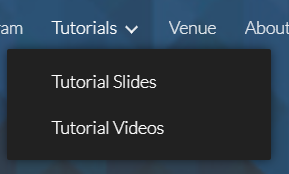
Recordings of presentations, tutorials and information for LDMSCON2025 can be viewed by highlighting your cursor over Tutorials and click on Tutorial Slides or Tutorial Videos on the top right of the main webpage: LDMSCON2025
LDMSCON2024
The following attachment contains the scripts and commands used in the LDMCON2024 Basics powerpoint presentation located on the LDMSCON2024 Tutorial Slides webpage.
Please DOWNLOAD THE FOLLOWING .ZIP FILE to easily follow along with the tutorial powerpoint.
Note
This tutorial assumes LDMS is already installed on the system. If it is not, please follow the LDMS Quickstart installation instructions.
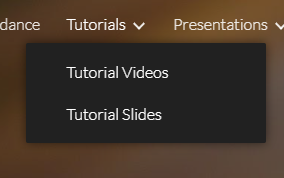
Recordings of presentations, tutorials and information for LDMSCON2024 can be viewed by highlighting your cursor over Tutorials and Presentations on the top right of the main webpage: LDMSCON2024

Note
If the file directory ``ldmscon2024`` is not extracted under ``/root/`` then please keep in mind that any reference to ``/root/`` in the powerpoint presentation, and following files, will need to be changed to ``<path-to-zip-files>/ldmscon2024/``.
../conf/e3/agg_store_csv.conf
../scripts/e1/start_ldms_simple.sh
../scripts/e2/start_ldms_simple_agg.sh
../scripts/e3/start_agg_store_csv.sh
../scripts/e3/store_csv.txt
Note
All files under
../scripts/e*are not used in the tutorial but rather are the commands/steps used for each exercise. They demonstrate LDMS’s ability to configure and initialize it’s daemons with a single bash script.These scripts must be ran in a directory that is readable and writable. Otherwise the log/data file generation will not work.
LDMSCON2023
The following attachment contains the scripts and commands used in the LDMCON2023 Basics powerpoint presentation.
Please DOWNLOAD THE FOLLOWING .ZIP FILE to easily follow along with the tutorial.
Recordings of previous presentations, tutorials and information for LDMSCON2023 can be found here: LDMSCON2023
The tutorial videos and slides can be viewed under the Tutorials tab at the top right.

The presentation videos and slides can be viewed under the Presentations tab at the top right.
Note
If the file directory ``ldmscon2023`` is not extracted under ``/root/`` then please keep in mind that any reference to ``/root/`` in the powerpoint presentation, and following files, will need to be changed to the absolute path of ``ldmscon2023/``.
../conf/e3/agg_store_csv.conf
../scripts/e1/start_ldms_simple.sh
../scripts/e2/start_ldms_simple_agg.sh
../scripts/e3/start_agg_store_csv.sh
../scripts/e3/store_csv.txt
Note
All files under
../scripts/e*are not used in the tutorial but rather are the commands/steps used for each exercise. They demonstrate LDMS’s ability to configure and initialize it’s daemons with a single bash script.These scripts must be ran in a directory that is readable and writable. Otherwise the log/data file generation will not work.
LDMSCON2022
Recordings of previous presentations, tutorials and information for LDMSCON2022 can be found here: LDMSCON2022
The tutorial videos and slides can be viewed under the Tutorials tab at the top right.

The presentation videos and slides can be viewed under the Presentations tab at the top right.

Archived LDMSCONs
All LDMSCONs prior to 2022 have been archived and can be found here: Archived LDMSCONs